English immersion clubs, Zoom Meetings with real teachers, and books that unlock level by level. Pick a club and start speaking from day one.
Pick a club, book time with a real teacher, read at your level, and pass the exam to move up. That's the whole loop.
Phonics, Reading, Writing, Grammar, Speaking, Conversation or Cinema — seven clubs, one for every goal.
 02
Choose a time your teacher has opened. Your Zoom Meeting link appears the moment you book.
Read your club's books at your level — 9 levels, from Level 1 to Level 9.
 04
70% — level unlocked
Score 70% or more on the level exam and the next level unlocks.
Every student moves from Level 1 to Level 9. Each level's exam opens the next one.
Press a level to see its books.
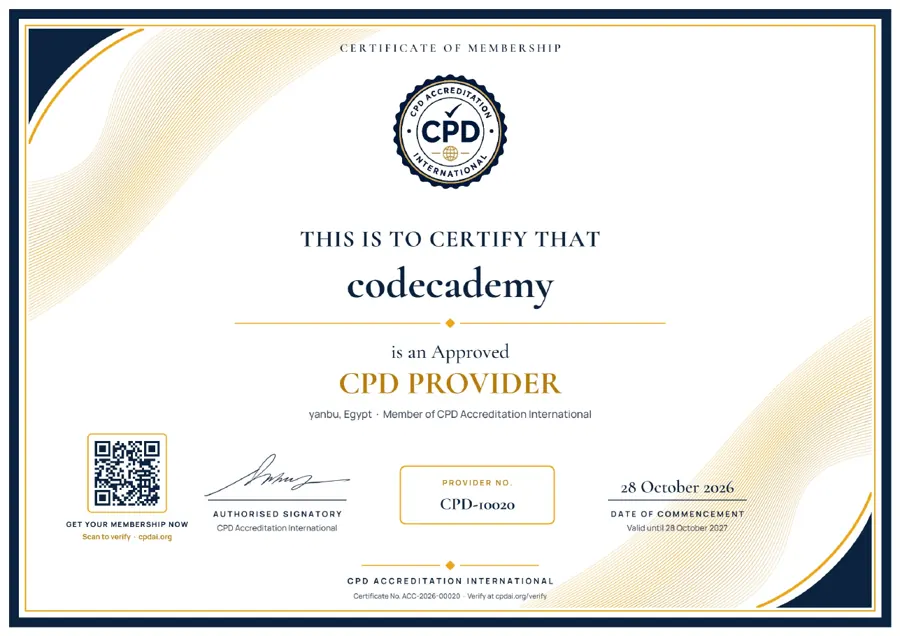
Code Cademy is an Approved CPD Provider and a member of CPD Accreditation International.
Practical learning and real-life language use, built around seven specialized clubs.
 01

Master letter sounds and blends — the building blocks of confident reading.
 02
Build reading, phonics, vocabulary & comprehension skills.
 03
Develop writing skills through guided and creative activities.
 04
Learn and practice grammar through real-life examples.
 05
Build confidence and express yourself naturally in English.
 06
Practice everyday conversations and communicate confidently.
 07
Watch, discuss and retell English stories through film.
Pick a lesson, watch it with sound, and tap any word to hear how it's said. Each one takes less than a minute.
12 short questions, about 5 minutes. You get your level straight away — and the plan that fits it.
Choose the best answer for each sentence. Don't use a dictionary — we want to see what you know today.
One-to-one lessons, speaking clubs and a living-English curriculum — with your progress followed at every step.
 01
Learning shaped around the student's level and needs, with progress follow-up.
Practise English with others through dialogues and real-life situations.
Build listening, speaking, reading and writing through hands-on practice.
 04
Level assessments and a clear view of the student's growth throughout the program.
Pay per lesson, or save when you book whole levels.
You pay on the payment provider's own secure page — card details are never typed into this website.
Sign in to reach a real, dedicated page for your club: materials to download, progress tracked over time, and announcements from your teacher — built for students and teachers alike.
Sign in to reach your dashboard.
Here's what's new in your club.
Everything your teacher has added to your club.
Pass this level's exam to unlock the next one.
Book a Zoom Meeting with your teacher.
Upload a short video and it appears in the website's Watch & Learn section right away.
Your teacher's assignments for your club.
Follow reading, exams and teacher notes — and message the teachers directly.
Talk with teachers, students and parents in one place.
Your enrollment and payments.
Switch a student's plan on once the payment arrives, or stop it at any time. Students need an active plan to book a Zoom Meeting.
What each plan includes. Students see these on the website, and every plan you switch on gets these classes and end date. Leave “classes” empty for unlimited.
The account students transfer to. They see these details at checkout, transfer, and upload the receipt — you see the receipt here and switch the plan on.
Paste the Tamara and Visa payment link for each plan. Students are sent there after choosing how to pay. Leave a link blank and students are asked to pay over WhatsApp instead.
Attendance and notes your teacher has logged for you.
Upload your own certificate artwork, then drag the name and date onto the right places. Students get the new design automatically when they pass a level.
✋ Drag the labels on the preview — Name, Date, Details and ID — to where they should be printed.
Add an attendance or progress note for any student.
Only you can make someone a teacher. Teachers who sign up wait here until you approve them.
Announcements from your teachers.
Your account details.
Teachers open their available times first. You pick a slot that suits you, book your seat, and your Zoom Meeting link appears — with a one-click add to your calendar.